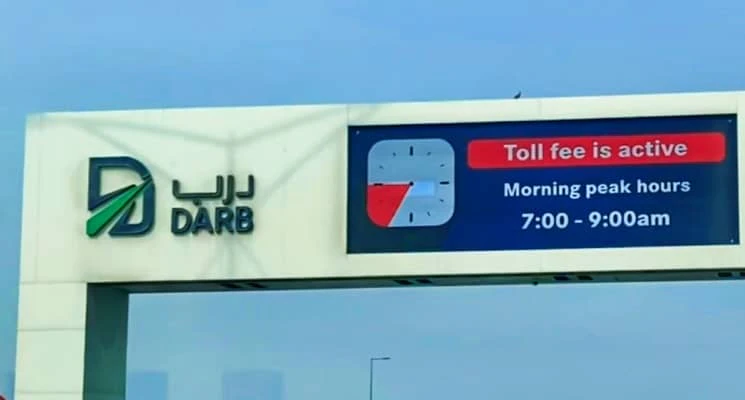
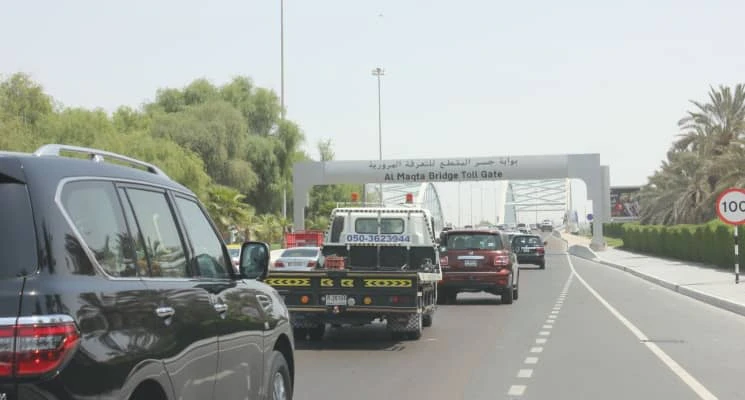
If you’re moving to Abu Dhabi or commuting daily across the city, understanding road tolls is essential. One of the most common charges drivers encounter is Darb, Abu Dhabi’s electronic road toll system. Similar to Salik in Dubai, Darb is designed to manage traffic congestion during peak hours, improve travel times, and encourage efficient use of the road network. While many drivers are familiar with the concept of tolls, registering for Darb is the first step to ensuring smooth, hassle-free driving across Abu Dhabi’s toll roads. Without registration, drivers risk fines and delays, making it critical to set up your account as early as possible.
In this guide, we will walk you through everything you need to know about registering for Darb, including creating an account, adding vehicle details, selecting payment methods, and monitoring your usage.
Step 1: Understanding Darb Toll Basics
Before registering, it’s important to understand how Darb works. The system charges vehicles when they pass through certain electronic toll gates during specified hours, usually during peak commuting times. The Darb toll rates vary depending on the type of vehicle, with larger vehicles generally paying more.
For regular commuters, understanding the timing and rates is essential to manage monthly transport costs efficiently. For example, passenger cars may be charged a fixed amount per gate during morning and evening peaks, while commercial vehicles have different rates. Knowing these details will help you plan your routes and budget effectively.
Step 2: Visit the Official Website or Mobile App
You can register for Darb through two primary channels:
- Darb Abu Dhabi Mobile App – Available on both Android and iOS, the app allows you to manage your account, monitor toll usage, and make payments conveniently from your smartphone.
- Official Toll Gate System Website – The website provides a full registration portal and detailed instructions for account setup.
Choose the platform that’s most convenient for you. Both options are secure and supported by the Abu Dhabi Department of Transport, ensuring safe handling of your personal and vehicle information.
Step 3: Creating Your Account
Once you access the app or website:
- Click Sign Up or Register.
- Fill in your personal details including full name, Emirates ID, email address, and mobile number.
- Verify your email and phone number using the OTP (One-Time Password) sent to your devices.
Creating an account is straightforward, but accuracy is crucial. Any mismatch in personal information can delay your registration or cause issues when linking your vehicle.
Step 4: Adding Your Vehicle Details
After account creation, the next step is to add the vehicles you intend to use on Abu Dhabi roads.
- Enter your vehicle’s license plate number exactly as registered with the UAE authorities.
- Select the vehicle type – options include private car, taxi, bus, or truck. Each category has its specific toll rates.
- Confirm that the details match your Emirates ID and vehicle registration.
Correct vehicle details are essential, as Darb charges are applied electronically based on the license plate. Mistakes can result in fines or incorrect billing.
Step 5: Selecting a Payment Method
Darb allows multiple payment options for convenience:
- Credit or Debit Card: Link your card to enable automatic deductions for toll charges.
- E-Wallet or Prepaid Balance: Top up your account manually or set up automatic recharge.
It’s recommended to keep a sufficient balance at all times, especially if you use toll roads daily. Auto-recharge options are available to prevent missed payments and fines.
Step 6: Confirm and Activate Your Account
Before finalizing registration:
- Review all personal and vehicle details carefully.
- Ensure the payment method is correctly linked.
- Click Submit or Activate Account.
You will receive a confirmation message once your account is active. This confirmation ensures that your vehicle is officially registered with Darb and that tolls will be applied automatically.
Step 7: Using Darb Toll Roads
Once your account is active, you can start driving through Abu Dhabi’s toll gates without worry. The system automatically detects your vehicle and charges the appropriate toll. You can track your usage, check past transactions, and manage payments directly via the app or website.
Tips for smooth Darb usage:
- Always ensure your vehicle plate is correctly entered in the system.
- Monitor your balance regularly to avoid fines.
- Use the app to review your travel history and manage multiple vehicles if necessary.
- Plan routes and travel times based on peak hour charges to save costs.
Conclusion
Registering for Darb in Abu Dhabi is a simple yet essential step for anyone driving in the city. By following this step-by-step guide, you can ensure hassle-free travel, avoid fines, and manage toll expenses efficiently. Whether you are a daily commuter, new resident, or occasional visitor, having a Darb account makes driving across Abu Dhabi smooth, safe, and convenient.
FAQs
1. What happens if I forget to register?
If a vehicle passes through a Darb toll gate without registration, fines may be issued, and the owner will be responsible for late payments.
2. Can I register multiple vehicles?
Yes. Darb allows multiple vehicles to be linked to a single account, making it convenient for families or businesses.
3. How do I update vehicle or payment details?
You can update any information anytime through the app or website. Make sure updates are completed before using the toll roads.
4. Is Darb only for residents?
No. Visitors and tourists driving in Abu Dhabi can also register temporarily to avoid fines.